
👑 Enterprise Feature
Would you like to use this feature? Please contact us to activate it!
📧 Contact: support@sproof.com
🤝 We look forward to your inquiry!
💡 At a Glance
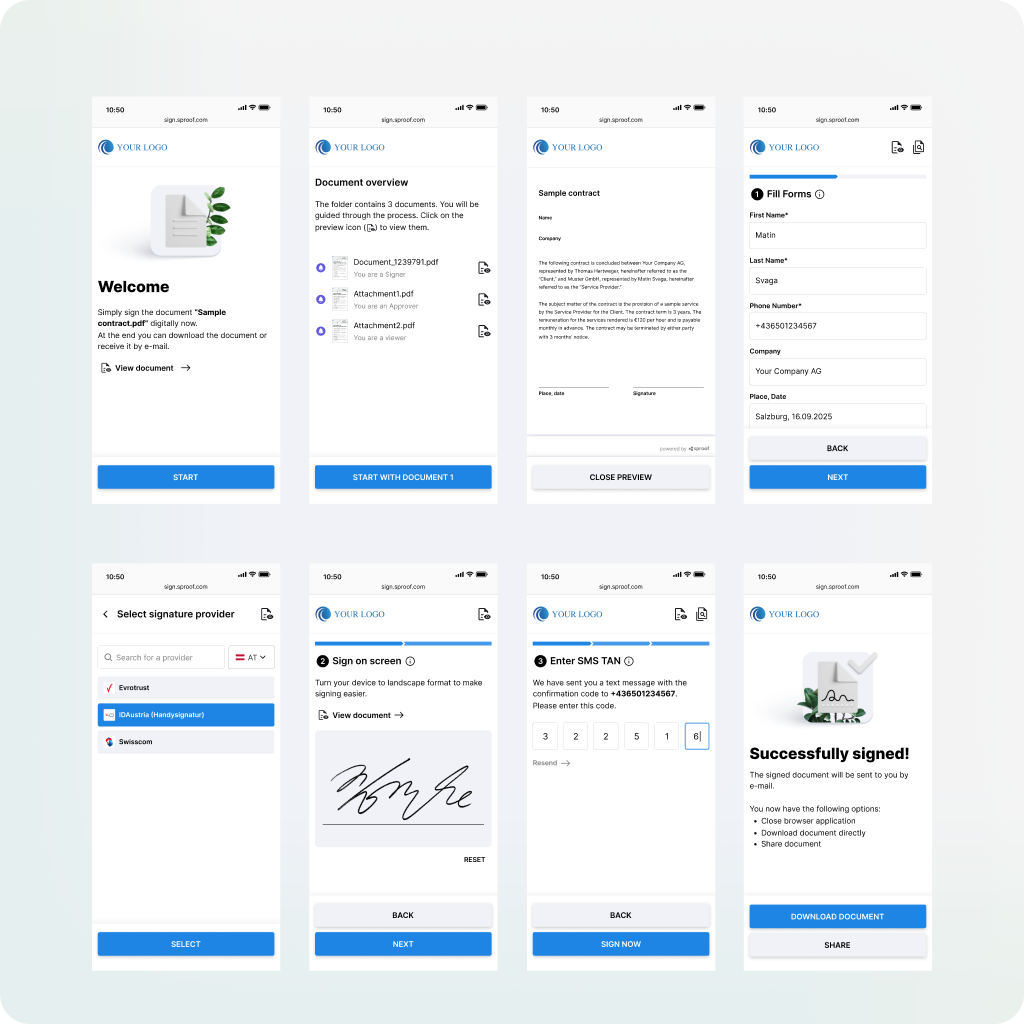
The Fastlane is an alternative, simplified and accessible user interface in sproof Sign that is specifically optimized for fast and uncomplicated signing processes on mobile devices. Documents can be efficiently shared at scale via email, link or QR code with external parties.
For development-relevant information, see the “For Developers” section in the module “sproof Fastlane: Collecting Signatures (API)”.
If you would like to use the Fastlane, contact your Customer Success Manager.
Fastlane Profile Generator
To optimally tailor the user experience in the Fastlane, the individual process steps and properties can be configured individually. This concerns, for example, the display of the various screens such as "welcome", "document", "provider", "sign" or "end".
Until now, this detailed configuration of a Fastlane profile was only possible via the API. With the new Fastlane Profile Generator, this functionality is now available directly in the user interface.
You can find the Fastlane Profile Generator in the Developer Tools area. These are enabled by default for all plan holders. If additional plan members need access to these settings, this can be defined via role management.
📑 Step-by-Step Guide
-
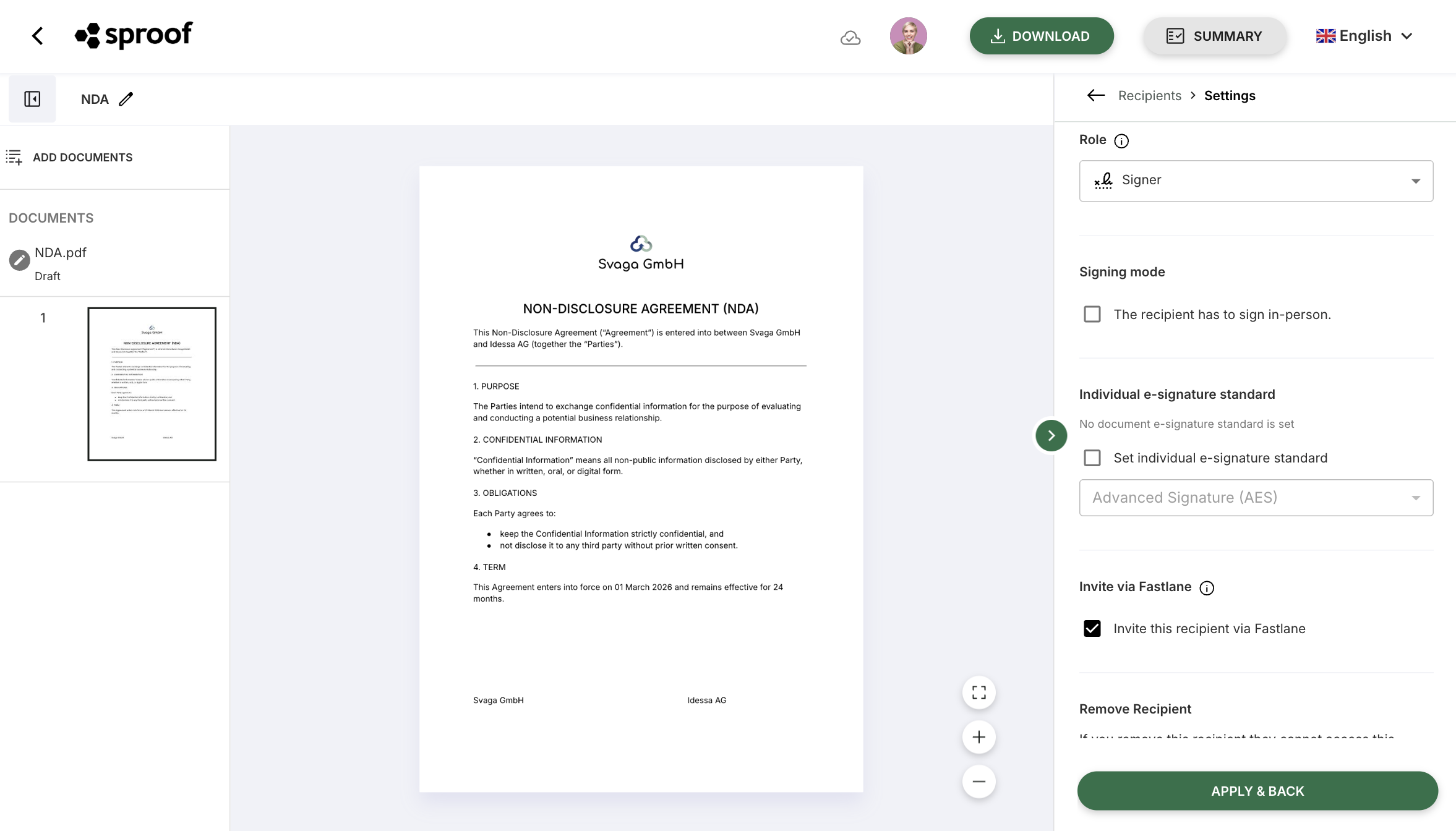
Open the document in the editor.
-
Add recipients and open the recipient settings.
-
Enable “Invite via Fastlane”.
-
Make all document settings as usual and send it.
2. The Fastlane from the Recipients' Perspective
The Fastlane is optimized for recipients on both desktop and mobile devices.
In addition, the Fastlane appears in the branding of the sending party.
Here is an example user journey: