

👑 Enterprise Feature
Would you like to use this feature? Feel free to contact us for activation!
📧 Contact: support@sproof.com
🤝 We look forward to your inquiry!
💡 At a Glance
With sproof Ident, a person's identity can be verified via API or via web interface using various eIDAS-compliant methods.
Identification is carried out using proven national standards such as ID Austria or the German identity card (+25 national eID providers from across the EU). In addition, a modern, fully automated auto-identification procedure is available that combines a document check with biometric liveness detection (Liveness-Check).
Furthermore, sproof Ident is prepared for the official rollout of the EUDI Wallets and supports identification with EUDI Wallets from day one in all EU member states.
The sender can track the progress of requests in real time and will be automatically notified as soon as a person has been successfully identified.
Would you like to activate sproof Ident?
sproof Ident works like an add-on that can be activated for your sproof Sign plan.
📧 Contact: support@sproof.com
🤝 We look forward to your inquiry!
📑 Step-by-Step Guide
Request identity verification via web interface
-
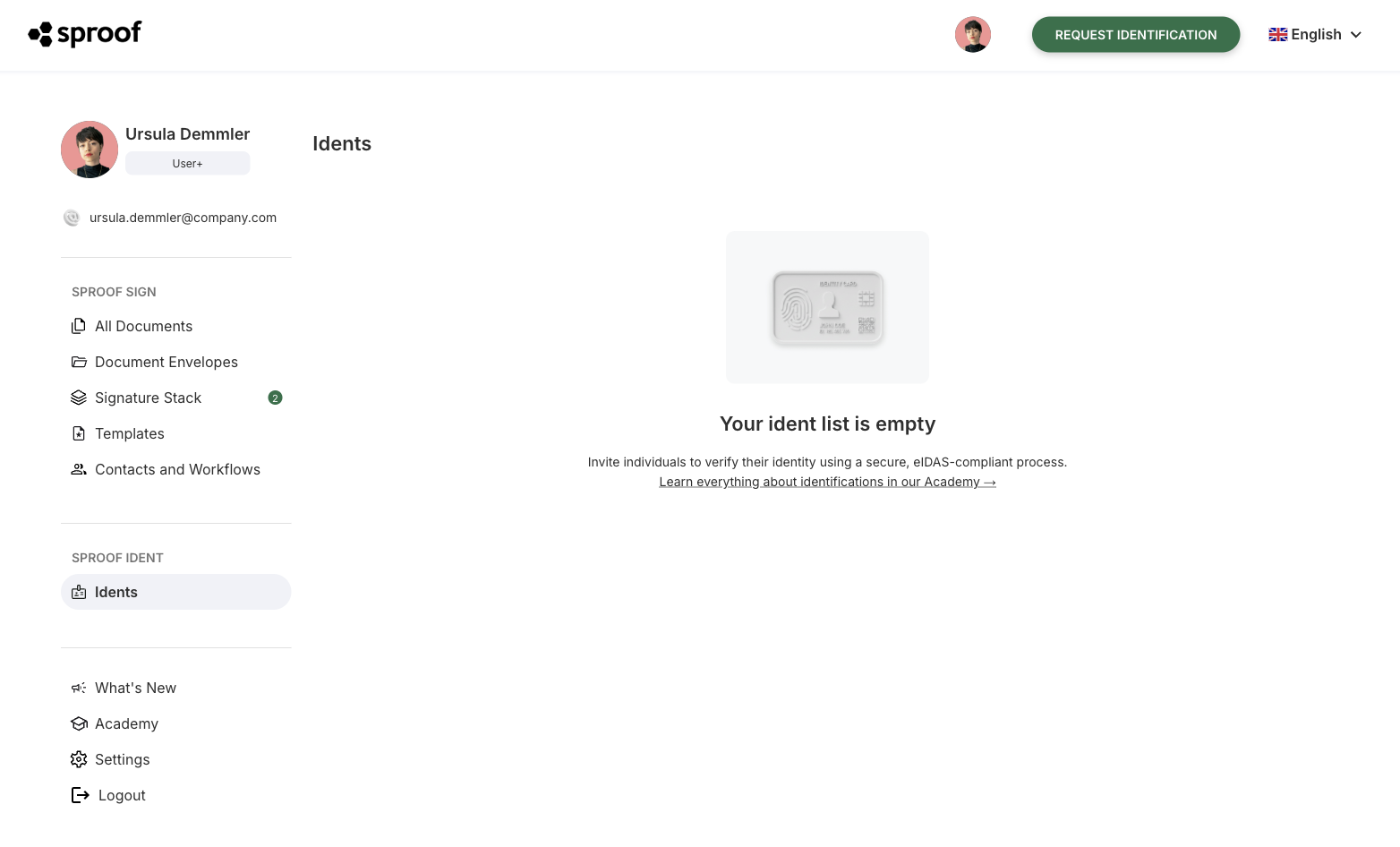
In the sidebar (directly in sproof Sign) navigate to the sproof Ident section on the left and select the Identities menu item.
-
Click the “Request identity verification” button in the top bar.
-
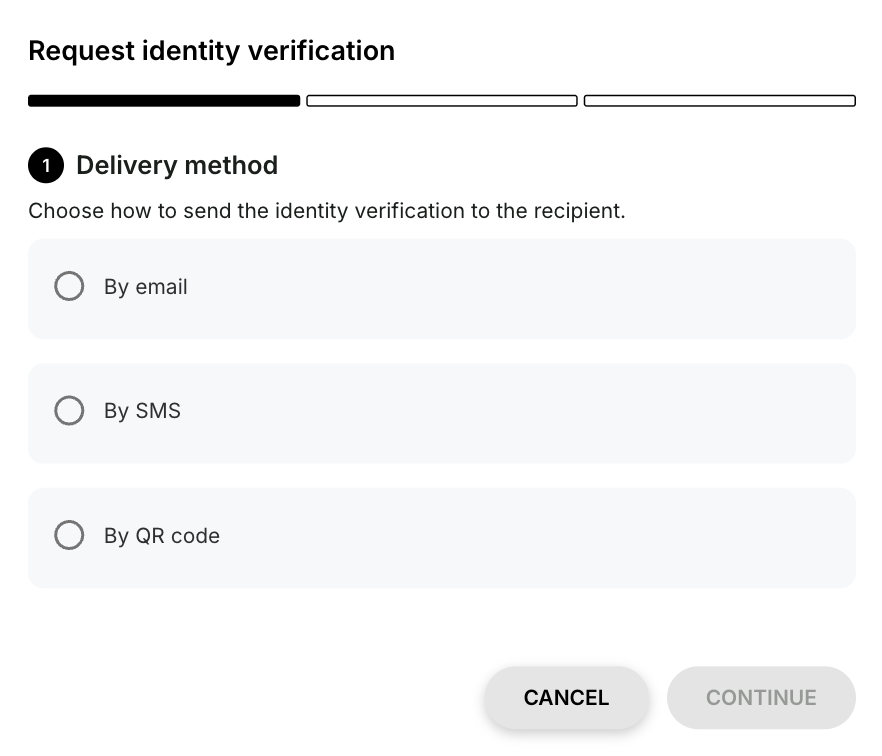
In the first step of the overlay, choose the delivery method: you can send the request to the target person via email, SMS, or QR code.
-
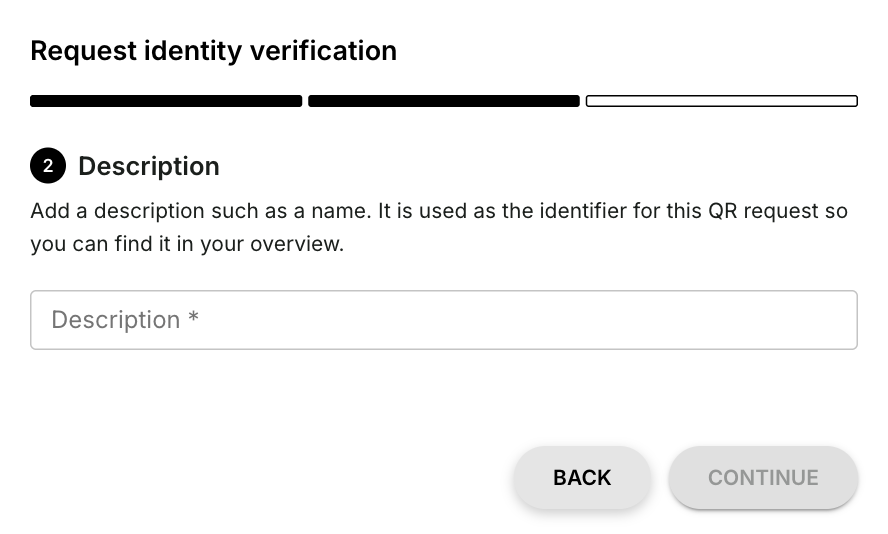
In the second step, enter a description, such as the person's name, so you can quickly find the request again in your overview.
-
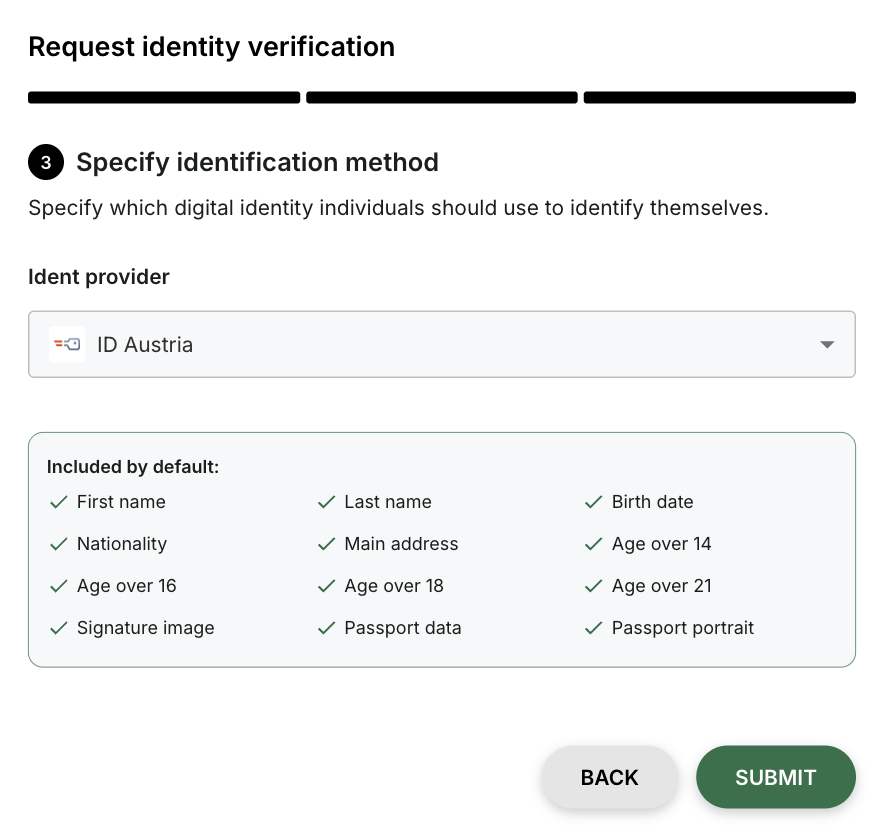
In the third step, choose an identification method to determine with which digital identity people should identify themselves:
-
ID Austria, German identity card & auto-identification: Includes all available parameters (first name, family name, date of birth, main residence, signature, age attributes, photo and nationality).
-
Entire eID Hub (limited dataset): Only first name and last name are available through this.
-
-
Click Submit to send the request. You will then receive a confirmation with a summary.
Track identity statuses
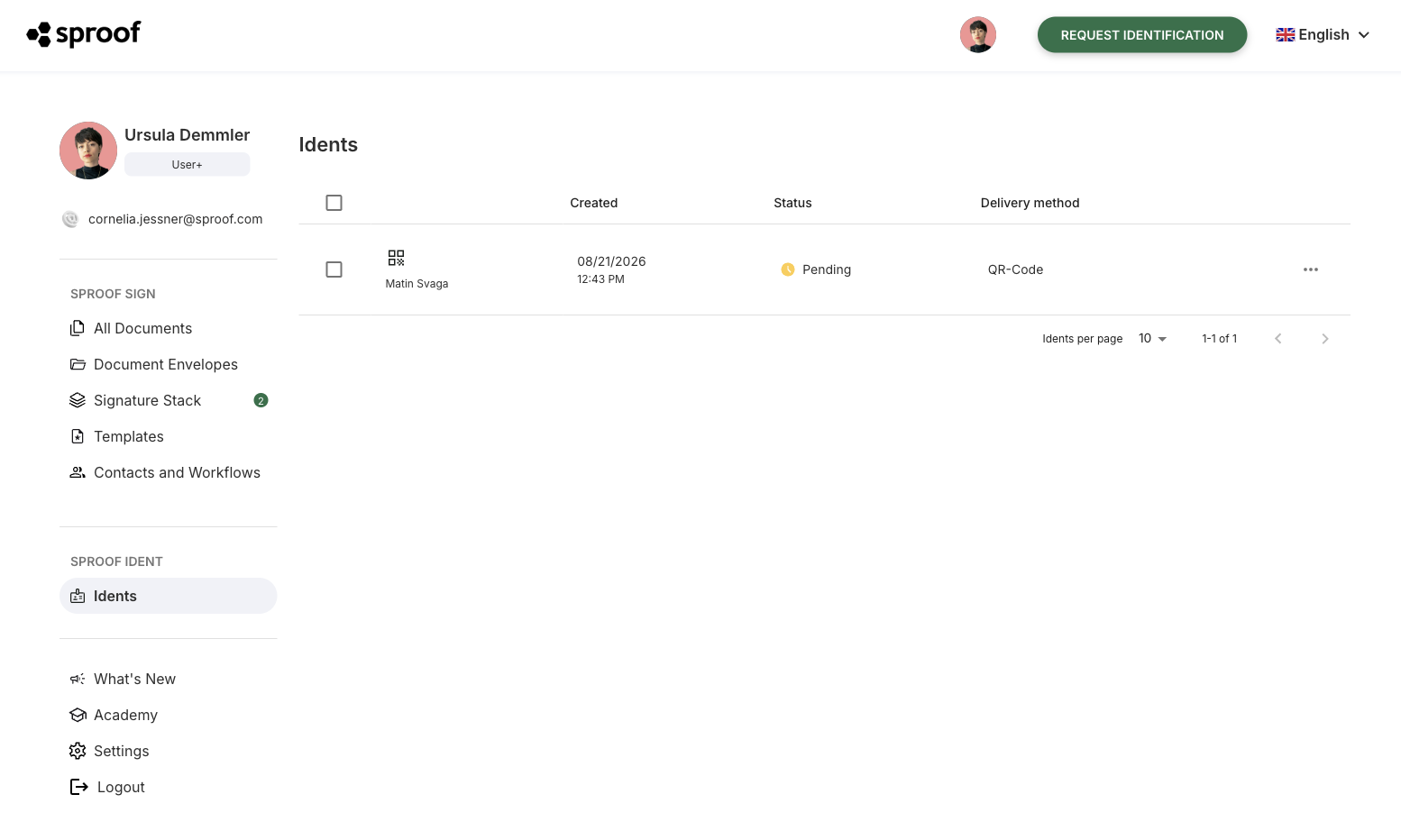
After sending, the request appears in your Identities list. As long as the person has not yet completed the process, the status will be shown as Pending.
-
Once the person has identified themselves, the status in the list changes to Identified and you will receive an email notification.
-
Important privacy note: All verified identity data will be automatically and irreversibly deleted from the list after 5 days.
Process from the perspective of the invited person
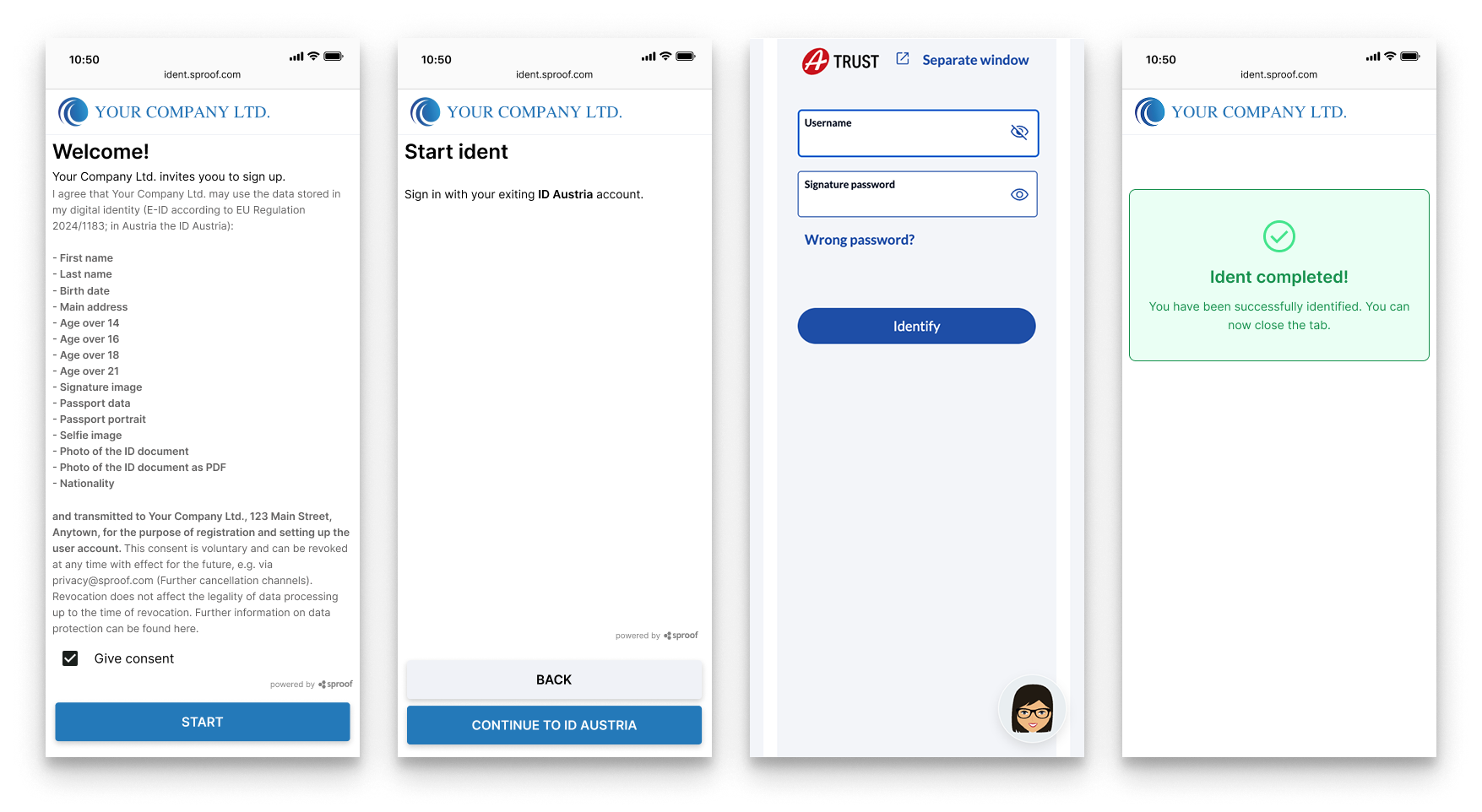
As soon as an identity verification is requested, the recipients receive a notification by email or SMS asking them to verify their identity. If the delivery method QR code was chosen, the requesting person is free to decide how to forward that QR code. With this method, for example, the requesting person can invite the person to be identified in person so they can scan the QR code on the spot and start the process, or send the QR code individually.
Via the link contained in the message or the scanned QR code, recipients are taken directly to the secure identification process. The recipients are then guided through the necessary steps.
After successful completion of the identification, the requesting person is automatically informed via the system, and the process is thus successfully completed.
Here is an example user journey via ID Austria:
sproof Ident via API
All functions described above can also be accessed in extended form via the API interface.
More about this in our API documentation -->
If you would like to test individual use cases for sproof Ident yourself, we recommend our Demo Portal.