

💡 At a glance
In sproof Sign you can set various intervals (30, 60, 90, 120, 150, 180 or 365 days) and define deletion rules based on a document's status.
Note: If you are not a Plan Admin but a Plan Member, you can find the information relevant to you in the module Deletion Concept.
📑 Step-by-step guide
Settings for team members
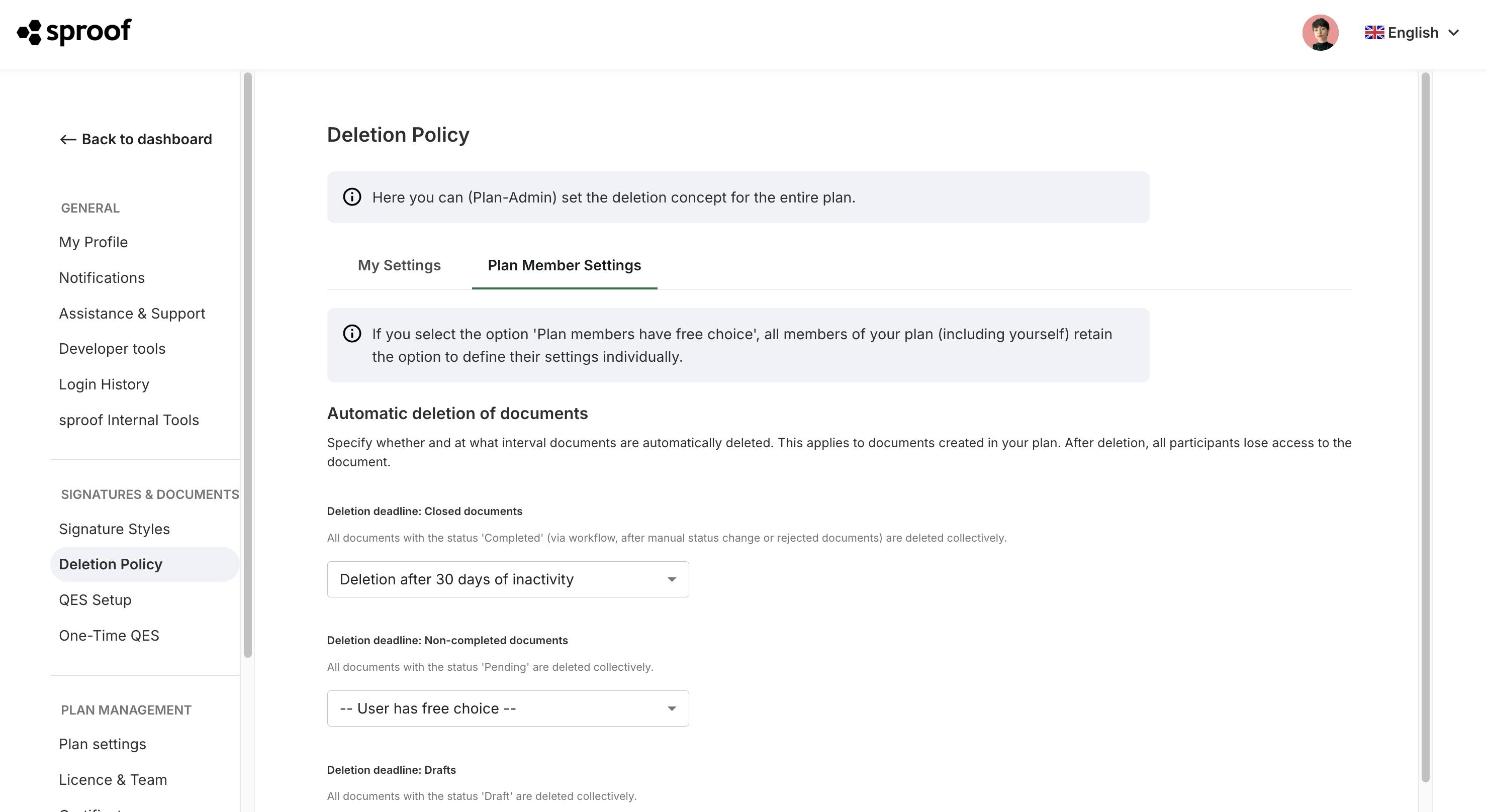
The tab “Settings for team members” is only visible to Plan Admins. The settings apply globally to all plan team members.
Exactly the same settings that you can configure for yourself can also be managed by you as a Plan Admin for your Plan Members.
Under Settings > Deletion Concept > Settings for team members you can set various intervals (30, 60, 90, 120, 150, 180 or 365 days) and define deletion rules based on a document's status.
The following document statuses are distinguished:
-
Completed documents: Documents that have been fully signed or processed.
-
Incomplete documents: Documents that are still awaiting signatures or further processing.
-
Drafts: Documents that are still being edited and have not yet been sent.
By default, automatic deletion is disabled. Alternatively, you can specify that users may configure this option themselves.
The timer for a document starts when it is uploaded. With every update to the document, for example by a signature, the counter is reset and starts again from zero.
You will receive an email with a list of all documents that will be deleted in the next 10 days. After this 10-day period, the documents will be permanently deleted.
Example of the deletion logic: Suppose you have set automatic deletion to 30 days.
-
You upload a document. The timer starts at zero. After 10 days you invite two recipients to sign the document.
-
Inviting the recipients updates the document. The counter is reset and starts again at zero.
-
The first recipient signs on the same day, but the second recipient only signs on day 29. In the meantime, the administrator receives an email on day 20 about the scheduled deletion in 10 days.
-
When the second recipient signs, the document is updated again and the counter is reset to zero.
-
You now have another 30 days to continue working on the document. If you leave it unchanged after that, it will be marked for deletion after 20 days and the administrator will receive another email. After a further 10 days it will be permanently deleted.
Note: The affected documents will also be removed from the sproof Sign dashboard of external parties with whom you previously shared the documents.
You can download your documents at any time including the verifiable PDF signatures and archive them in an external storage.