

Hello developer,
we are pleased to show you how to seamlessly integrate our signature solution into your applications.
Watch the video to see how to collect signatures with the sproof Sign API.
The following example walks you through the process of sending a document for signature, receiving status updates via a callback, and downloading the signed document.
1. Send a document for signature
To send one or more documents for signature, use a POST request to our signature endpoint. This consists of inviteData (general invitation information) and envelopeData (relevant data per document).
If you send multiple documents, specifying the folderName is necessary to group the documents into a document folder. Since each document can have different configurations, such as the recipient's role in the document and the signature position, it is required that the same recipient is specified both in inviteData.recipients with general settings like useFastlane or doNotSendEmails and in envelopeData.documentDataArray.recipientDetails with specific settings. Each document must be provided in Base64 format and is placed in envelopeData.documentDataArray.data.
Endpoint: POST https://sign.sproof.com/api/v1/documents/signature
Example request body for one document:
{
  "token": "{{token}}",
  "inviteData": {
    "sender": {
      "email": "{{email}}",
      "firstName": "sproof",
      "lastName": "Sender"
    },
    "recipients": [
      {
        "email": "max.mustermann@sproof.com",
        "firstName": "Max",
        "lastName": "Mustermann"
      }
    ]
  },
  "envelopeData": {
    "documentDataArray": [
      {
        "data": "{{pdf_im_base64_format}}",
        "fileName": "wichtiger_vertrag.pdf",
        "recipientDetails": {
          "max.mustermann@sproof.com": {
            "role": "signer",
            "signaturePositions": [
              {"page": 0, "x": 0.57489, "y": 0.8455, "width": 0.35, "height": 0.1}
            ]
          }
        }
      }
    ],
    "callbackUrl": "https://webhook.site/ihre-eigene-callback-url"
  }
}
-
Replace
{{token}}with your API token. -
{{email}}is the sender's email address (must be a member of the same plan). -
{{pdf_im_base64_format}}should contain the Base64-encoded PDF document you want to have signed. -
The
callbackUrlis your URL where we will send status updates.
2. Receive callback notifications
Once a document is signed or a recipient declines it, we send a POST request to the URL you provided in callbackUrl. This request contains an object with relevant information about the document's status, including the memberId.
Example of the callback object:
{
  "name": "important_contract",
  "id": "8925b941ea322b82a246a19c6f5d29d3ee457a83cb679eaa008c2c7707a574a8cd1937",
  "language": "en",
  "updatedAt": "2025-07-23T14:03:02.854Z",
  "createdAt": "2025-07-23T14:02:41.082Z",
  "signaturesTypes": [],
  "callbackUrl": "https://webhook.site/ihre-eigene-callback-url",
  "returnUrl": null,
  "returnBtnText": null,
  "inPersonSigning": false,
  "signingRound": 1,
  "member": {
    "id": "32106bfe541f3a99525097e956eb9624f0852cb3b4d3201ae2d647c9b5fe4b131de626",
    "email": "sender@sproof.com",
    "firstName": "sproof",
    "lastName": "Sender",
    "lastActivityAt": "2025-07-23T14:02:41.091Z",
    "createdAt": "2025-07-23T14:02:41.091Z",
    "signed": false,
    "isAdmin": true,
    "isSigner": false,
    "signaturePosition": [],
    "signedAt": null,
    "signingOrder": 1,
    "declinedAt": null,
    "signatures": []
  },
  "boxes": [],
  "members": [
    {
      "id": "3f14fd13d6e4f7981b86a9b476426a97ede88ee6921f24b221e7d97bfce660f2430b8d",
      "isSigner": true,
      "email": "max.mustermann@sproof.com",
      "firstName": "Max",
      "lastName": "Mustermann",
      "isAdmin": false,
      "signedAt": "2025-07-23T14:03:02.657Z",
      "declinedAt": null,
      "signingOrder": 1,
      "signaturePosition": null,
      "signed": true,
      "signatures": [
        {
          "signatureType": "aes_sproof",
          "signedAt": "2025-07-23T14:03:02.657Z"
        }
      ]
    }
  ],
  "allSignersSigned": true,
  "allMembersSigned": false
}
Important note: In case of a failure, a retry mechanism is implemented to ensure the request is attempted again.
3. Download the signed document
Using the memberId (http://member.id) you receive in the callback object, you can download the signed document as a binary PDF or as a Base64-encoded file.
Endpoint: GET https://sign.sproof.com/api/v1/documents/download/{{memberId}}?token={{token}}
-
Replace
{{memberId}}with the sender's id that you received in the callback undermember.id(32106bfe541f3a99525097e956eb9624f0852cb3b4d3201ae2d647c9b5fe4b131de626in this example). -
Again replace
{{token}}with your API token.
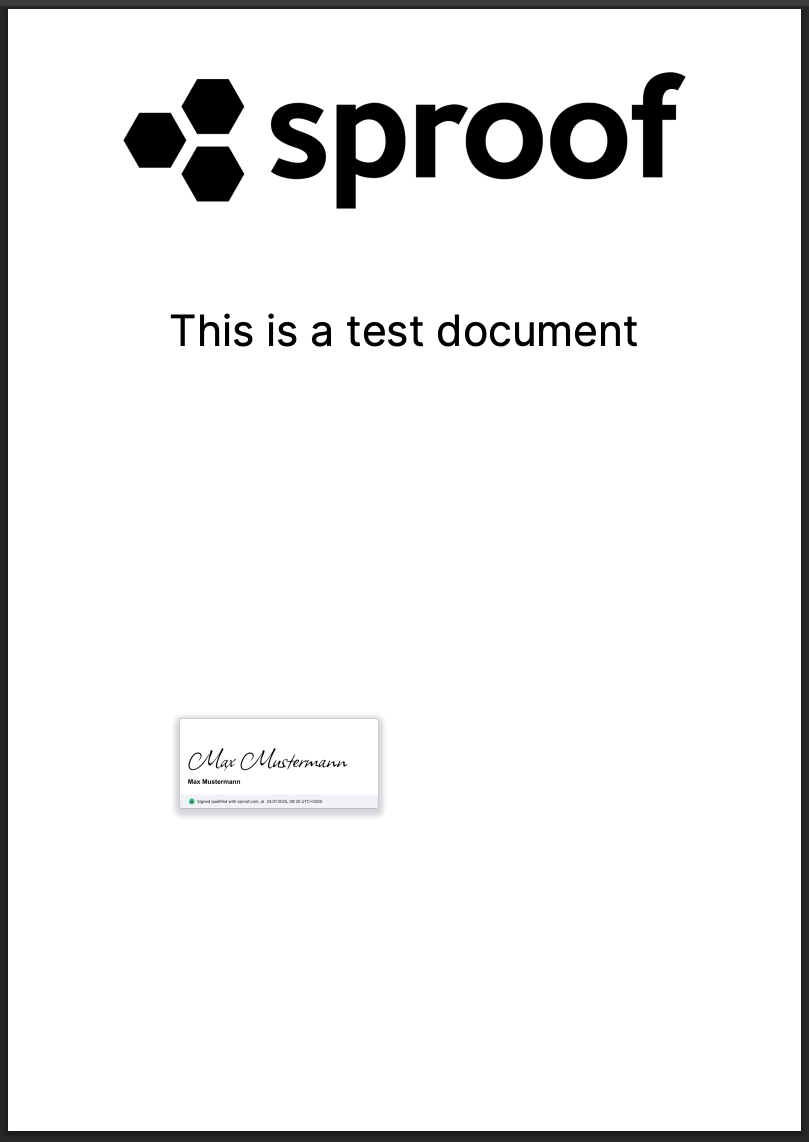
We hope this example helps you get started with your integration!
If you have any questions, we are happy to assist you.